ExplorerPatcher on Windows 11 25H2
ExplorerPatcher 71.1 works on Windows 11 25H2. We installed it on Windows 11 Enterprise 25H2 build 26200.9725 (Arm64): the Windows 10 taskbar, Start menu, Alt+Tab styles and File Explorer ribbon worked. 25H2 uses the same ExplorerPatcher taskbar as 24H2. We have not tested an x64 25H2 PC.
Checked against ExplorerPatcher 71.1 (26100.9711.71.1) on Windows 11 Enterprise 25H2 26200.9725 and Windows Server 2025 (24H2 shell) 26100.33674 · Nov 6, 2026On this page
What to do on 25H2
- Get version 71.1 from GitHub. Pick
ep_setup.exefor Intel and AMD PCs orep_setup_arm64.exefor Snapdragon PCs. - Switch off Smart App Control and use a personal PC. Upstream’s release notes warn that
explorer.execan fail to start when Smart App Control blocks the new files. - If the taskbar still looks like Windows 11 after the install, choose Windows 10 (ExplorerPatcher) under Properties, Taskbar, Taskbar style: why.
- Keep the black screen recovery in mind before you let Windows install the next cumulative update.
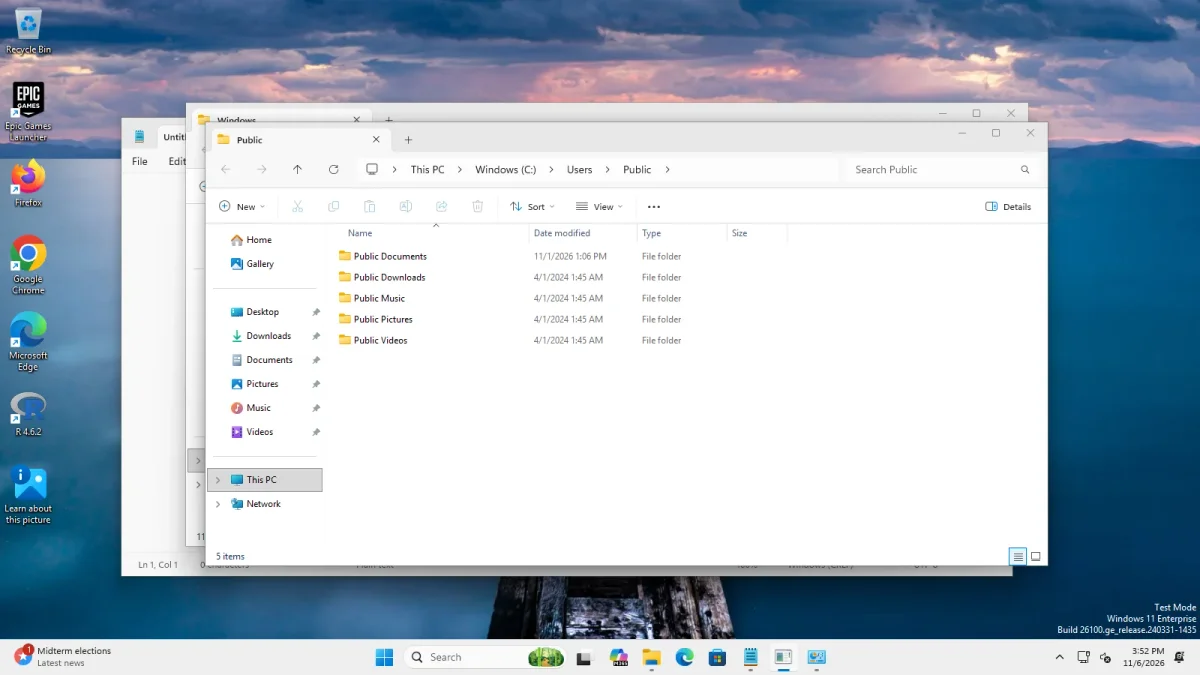 With ExplorerPatcherWindows 11 as shipped
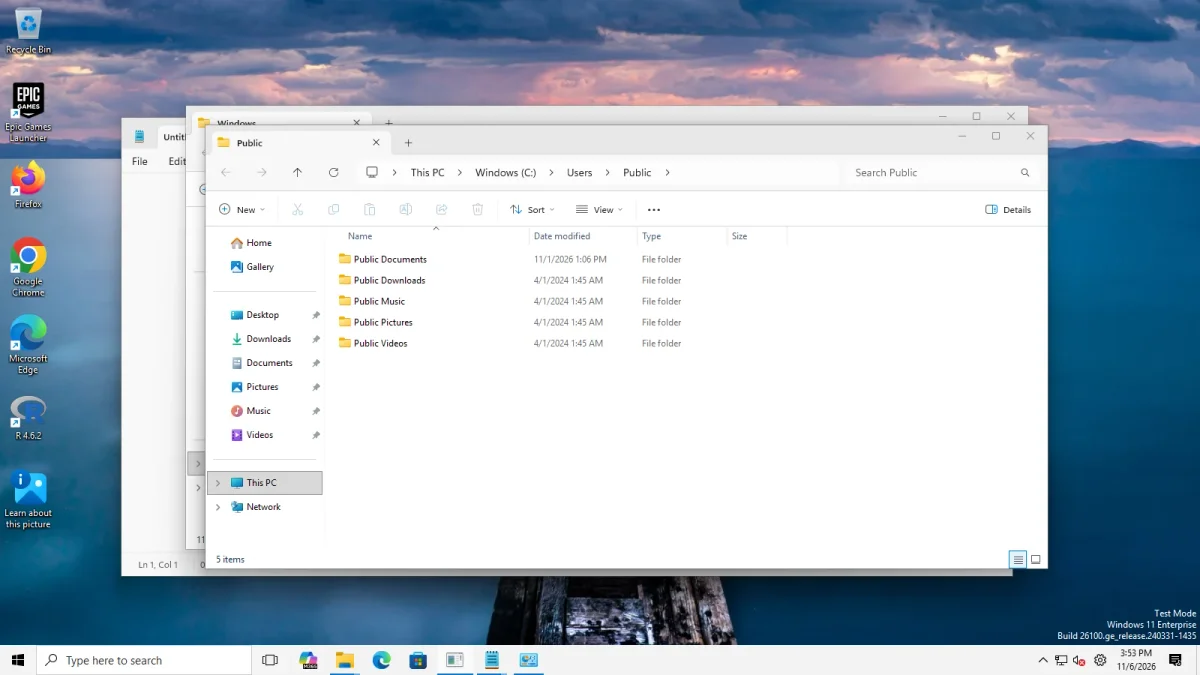
Taskbar style "Windows 11", four apps open → Taskbar style "Windows 10 (ExplorerPatcher)", four apps open · Windows 11 Enterprise 25H2, Arm64 26200.9725 · EP 71.1
What we saw on 25H2
| Check | Result on 26200.9725 (Arm64) |
|---|---|
| Taskbar style “Windows 10 (ExplorerPatcher)” | 40 px Windows 10 taskbar |
| Taskbar style “Windows 10” | Windows 11 taskbar stays (48 px) |
| Windows 10 Start menu | Opened with both the Windows 11 taskbar and ExplorerPatcher’s taskbar |
| Taskbar options: labels, small icons, centred, top, left, right, search box, seconds | All changed the taskbar as described |
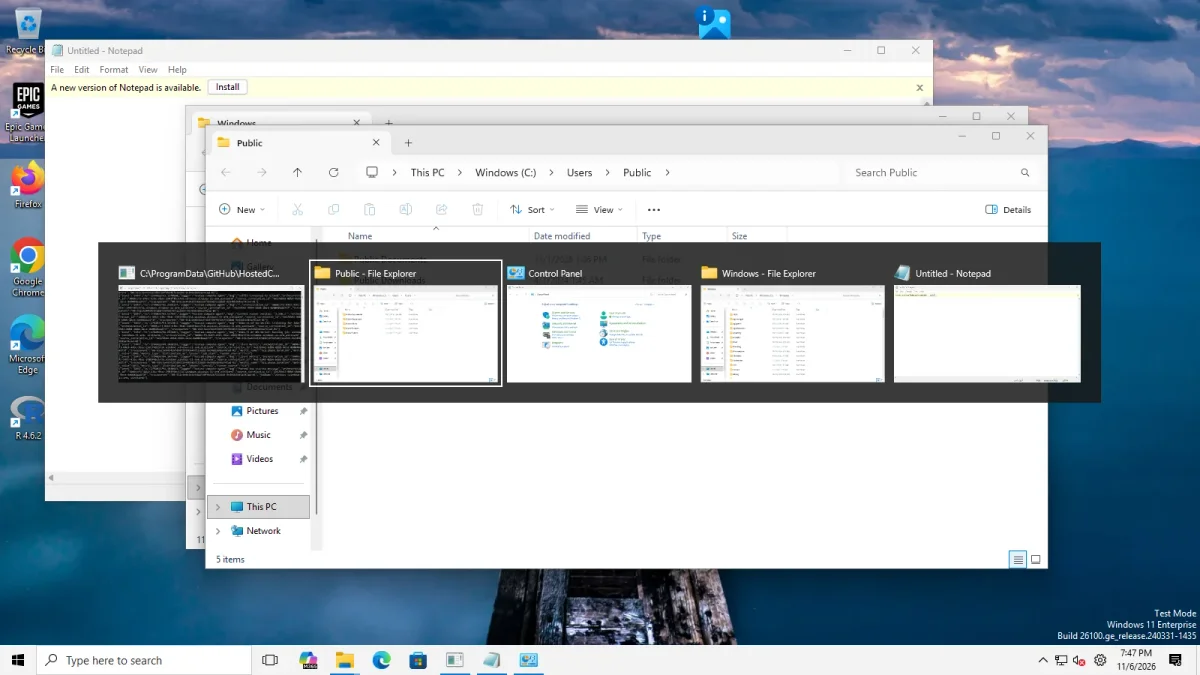
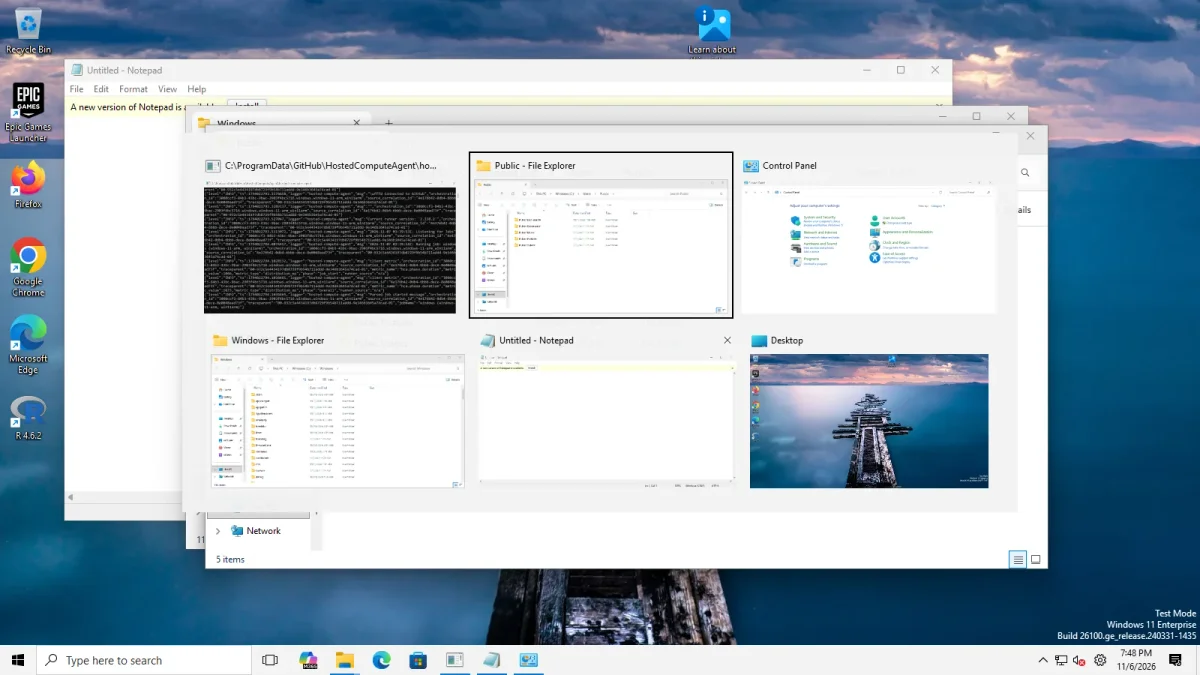
| Alt+Tab | Windows 10 (dark bar) and Simple Window Switcher (grid of large thumbnails) worked; “Windows NT” showed no switcher at all |
| File Explorer | Windows 10 Ribbon and Windows 7 Command Bar changed the window; the classic Address Bar choice looked like the default. Clean Arm64 captures from our 7 Nov re-run. The search switches showed no reliable change, see below |
| Explorer restart to taskbar | 2.8 to 3.7 seconds, the same with and without ExplorerPatcher |
| Explorer memory after settling | 124 MB before ExplorerPatcher, 139 MB with the Windows 11 taskbar, 142 MB with ExplorerPatcher’s taskbar |
| Weather widget | ExplorerPatcher’s weather widget, switched on with the Windows 10 (ExplorerPatcher) taskbar, showed “7 °C Mostly cloudy” with an icon in our capture. The Windows 11 taskbar shots show Windows’ own widget at the left instead, for example “60°F Cloudy” in the Start menu photo. That is not ExplorerPatcher’s widget, which upstream says needs a Windows 10 taskbar style. Upstream says Google picks the place from the machine’s IP address, so temperatures differ by location and time. See weather |
| Start menu: Open Start in All apps by default | Not offered here: the new Start layout already shows the app list on its first page |
| Start menu: Disable the Recommended section | Not demonstrable here: the new Start has no Recommended block to begin with. On Server 2025 the option removed it |
| Properties window | 12 sections with ExplorerPatcher’s taskbar, including Spotlight (our wallpaper was Windows Spotlight); 11 with the Windows 11 taskbar, which has no Weather section |
| Ctrl+Alt+Shift | Windows 11 taskbar returned with EP’s crash dialog, as expected |
| Uninstall | 21.7 to 22 seconds; the settings key stayed behind |
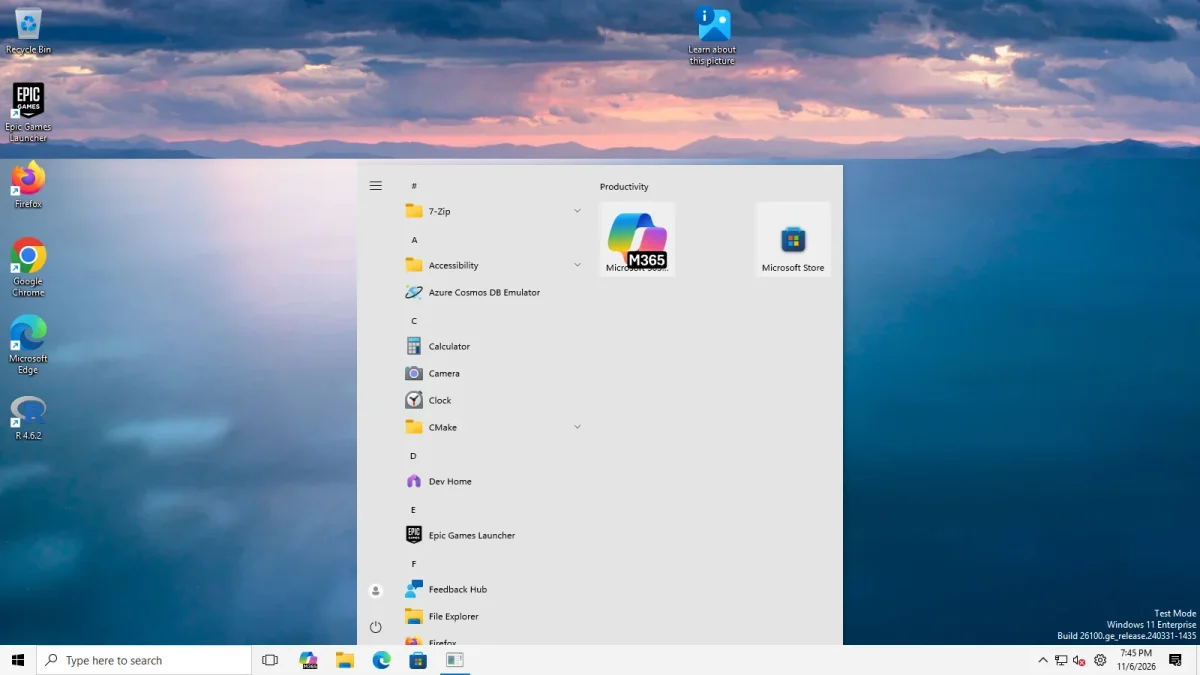
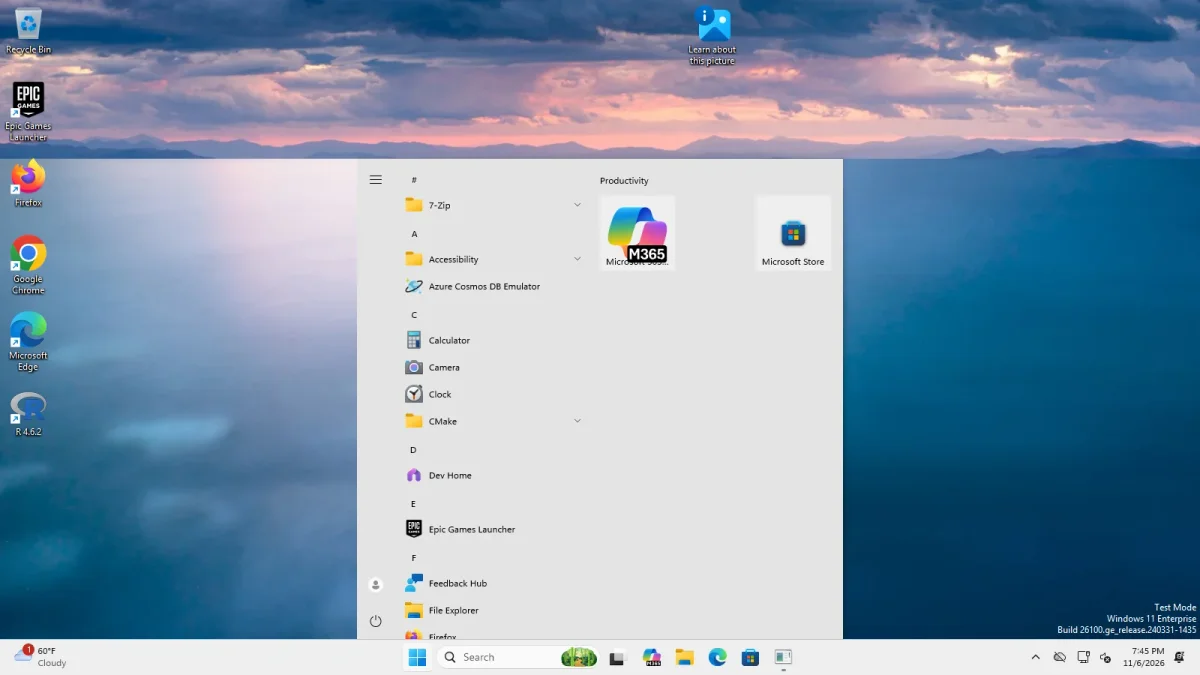
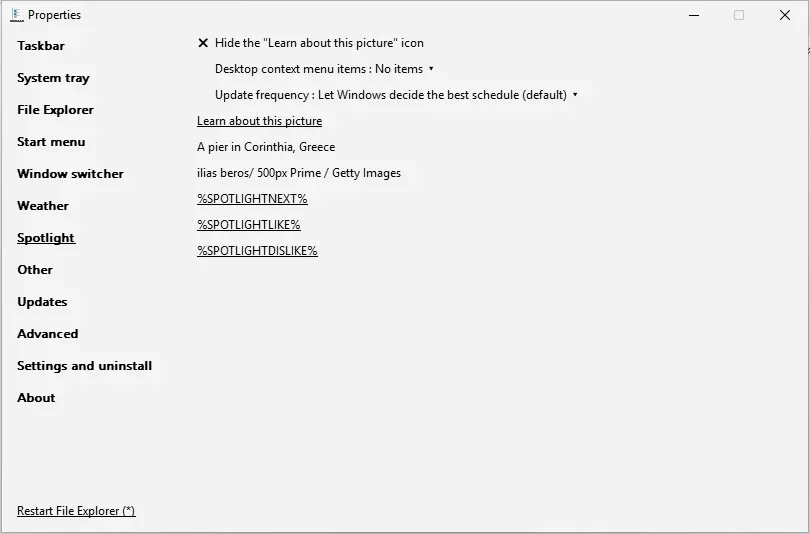
On 7 Nov 2026 we re-ran Start, Alt+Tab and File Explorer on this machine after our harness learned to close Windows’ first-run privacy page, which had covered the earlier File Explorer pictures. File Explorer, Alt+Tab and Start evidence now exists on both Server 2025 and this client.
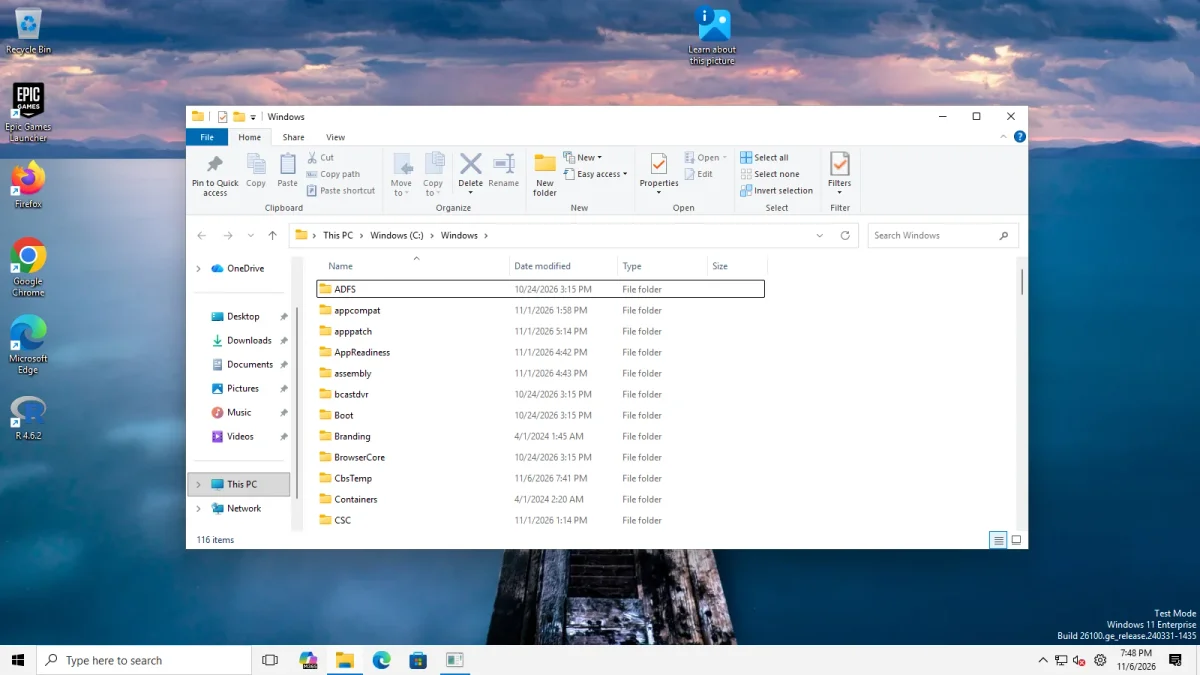
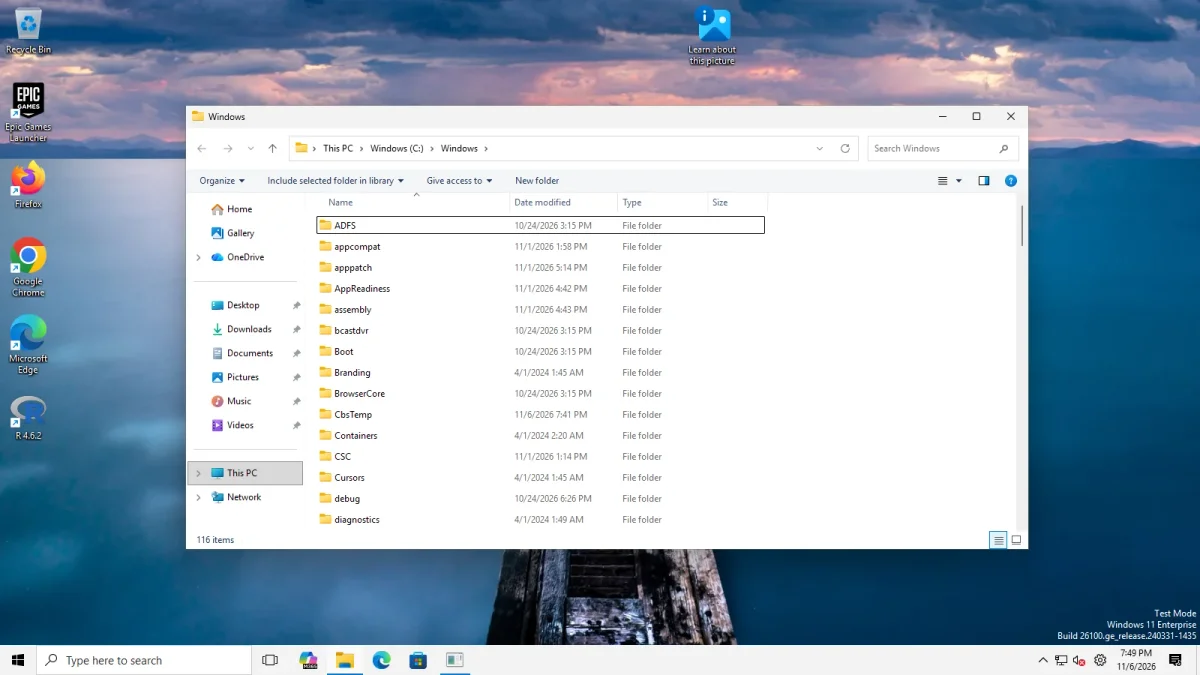
Two things about File Explorer’s search box. With the Windows 11 command bar, “Disable modern search bar” and “Hide search bar completely” left the search box in place on this machine. With the Windows 10 Ribbon, “Disable modern search bar” changed nothing we could see, and “Hide search bar completely” removed the box in our one Arm64 picture, yet the same switch gave inconsistent results on Server 2025. We call both not confirmed. Windows 11’s rounded corners could not be checked either: the Notepad corners were square before and after on this machine too, see disable rounded corners.
The 25H2 picture matches our 24H2 evidence, which comes from Windows Server 2025: see Windows 11 24H2. Upstream lists both versions under the same taskbar file, and both machines showed the same removed features.
Known issues by update
These are upstream reports and release notes. We have not reproduced them. The status page has the full history.
| Windows build or update | Reported | EP version | State on 6 Nov 2026 |
|---|---|---|---|
| 26200.7171 (Enterprise) | Explorer crashed three times after installing, and EP disabled itself (issue 4765) | 69.6 | Open |
| 26200.7462, KB5074109 | Parts such as the Quick Launch toolbar stopped working (issue 4831) | 69.6 | Open |
| 26200.8524, KB5089573 | Explorer crashes (issue 4987) | 69.6 | Closed 30 May 2026 |
| 26220.8474 (Beta, 15 May 2026) | Removed the Windows 10 Start menu’s tile engine and sent EP 69.6 into a crash loop (issues 4957 and 4960) | 69.6 | Fixed in 70.1, 19 May 2026 |
| 26200.8655 | Dragging a tile pinned by dragging froze Start (issue 5111) | 70.4 pre-release | Closed 29 Oct 2026 |
Version 71.1 notes also fix a crash when apps go full screen on builds 26220.9343 and later, and a Windows 10 Alt+Tab problem on 26100.9606 and later.
Windows 11 26H2 and 26H1
We did not test these. The facts below come from upstream’s wiki and the 71.1 release notes.
- 26H2 is build 26300 in the Dev channel. The 71.1 notes list 26300.9711 and 26340.9767 as tested, both x64.
- 26H1 is listed as build 27686 to 27982 (Canary), 28000 (Release) and 28020 (Canary). The notes list 28000.3231 and 28120.3302 as tested, both x64, and name Arm64 fixes for builds 28000.2630 and later.
- Builds 29531 and later are Canary builds that the wiki marks “TBD”. The 71.1 notes list 29695.1001 as tested.
- An open upstream report (issue 5229, 2 Nov 2026) says the Windows 10 Start menu closing animation is missing on 26H1 build 28000.3365 (Arm64). We have not checked it.
If you are on an Insider build, read compatibility first.
Common questions
Does ExplorerPatcher install on Windows 11 25H2?
Yes. Version 71.1 installed in 6.6 to 6.7 seconds on Windows 11 Enterprise 25H2 build 26200.9725 (Arm64) when run over version 70.3, and our settings were kept. The test machine had Defender real-time protection on and Smart App Control off.
Does ExplorerPatcher work on Windows 11 26H2 or 26H1?
Upstream's 71.1 release notes list builds 26300.9711 and 26340.9767 (26H2) and 28000.3231 and 28120.3302 (26H1) as tested. We have not tested these builds ourselves, and the 26H2 builds are in the Dev channel.
Which 25H2 updates caused problems?
Upstream reports name 26200.7171, 26200.7462 (KB5074109) and 26200.8524 (KB5089573), and the Beta build 26220.8474. Two of those threads are still open. We have not reproduced any of them; see the known issues table.
Is 25H2 different from 24H2 for ExplorerPatcher?
Upstream's wiki lists 24H2 and 25H2 under the same taskbar file, and both of our machines showed the same removed features. The practical steps are the same: choose Windows 10 (ExplorerPatcher) as the taskbar style.