How to make the taskbar smaller in Windows 11
Windows' own Taskbar behaviors list Show smaller taskbar buttons, which we saw on Windows Server 2025 (24H2 shell) but did not measure. With ExplorerPatcher's taskbar, set Taskbar icon size to Small. We measured the heights on both of our machines: the Windows 11 taskbar 48 px, the ExplorerPatcher default 40 px and its small size 30 px.
Checked against ExplorerPatcher 71.1 (26100.9711.71.1) on Windows Server 2025 (24H2 shell) 26100.33674 and Windows 11 Enterprise 25H2 26200.9725 · Nov 6, 2026On this page
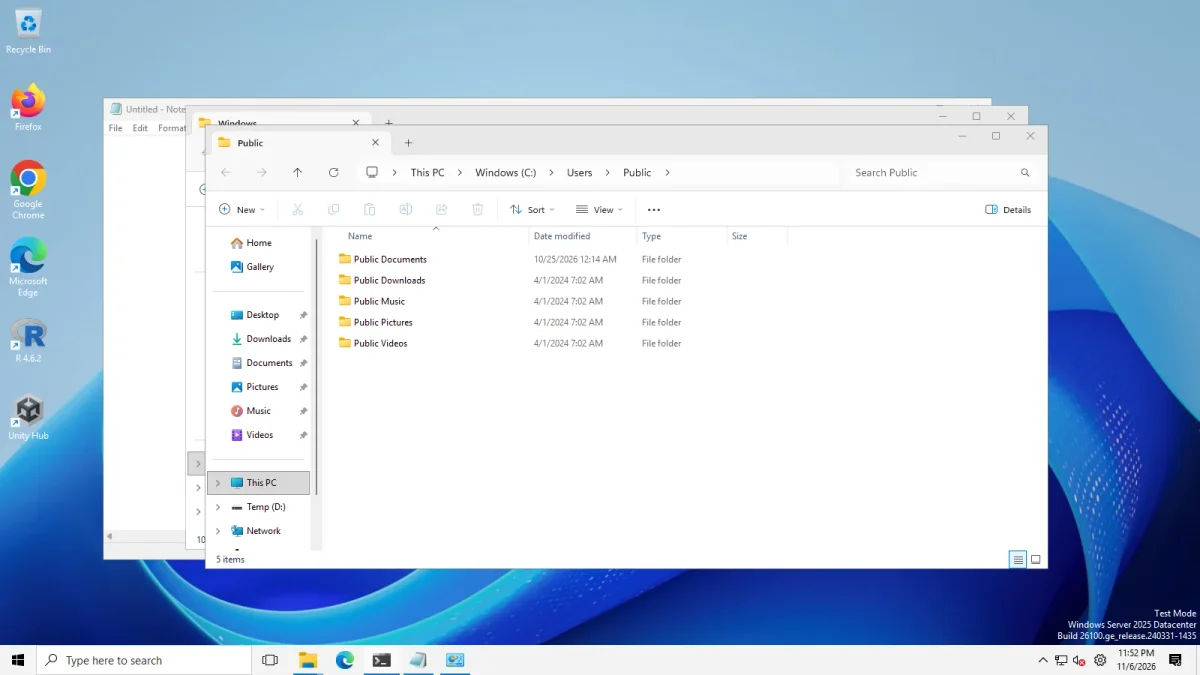 Small (30 px)Large (40 px)
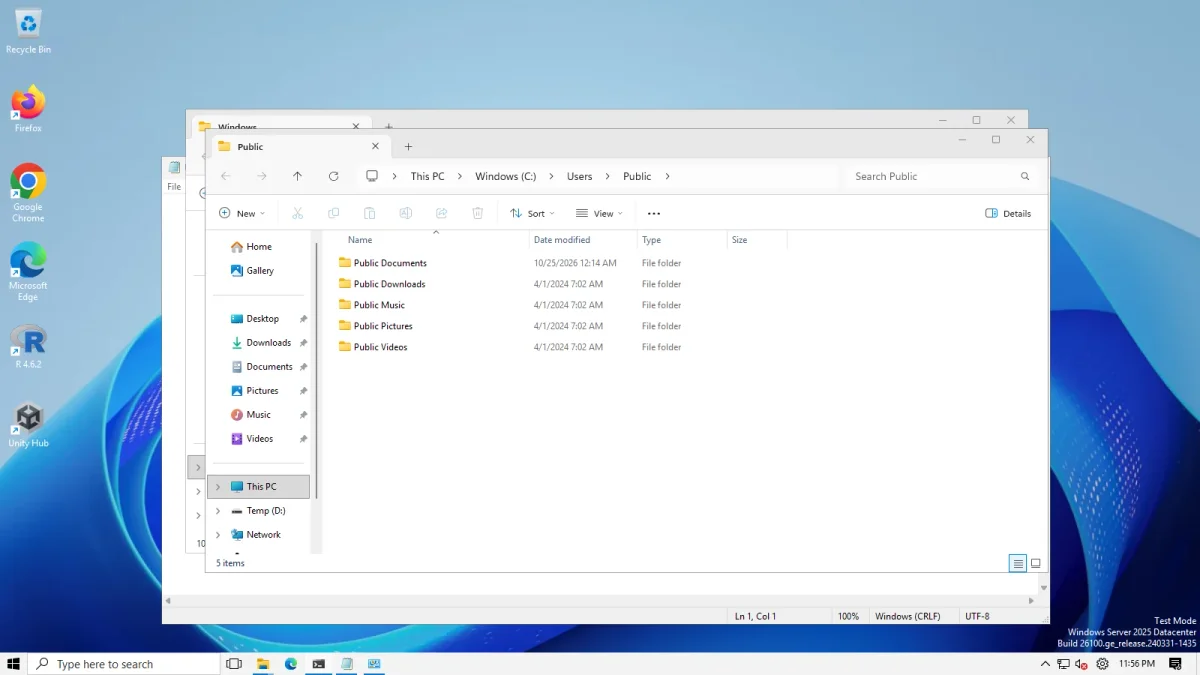
ExplorerPatcher taskbar on Windows Server 2025 (24H2 shell), Taskbar icon size Large and Small · Windows Server 2025 (24H2 shell), x64 26100.33674 · EP 71.1
What Windows 11 offers natively
On Windows Server 2025 (24H2 shell, build 26100.33674) Settings, Personalization, Taskbar, Taskbar behaviors has a row called Show smaller taskbar buttons. Its value on our image was When taskbar is full. We did not open the drop-down, change it, or measure the taskbar afterwards, so we cannot tell you how small it gets.
On Windows 11 Enterprise 25H2 (build 26200.9725, Arm64) the Taskbar behaviors section stayed collapsed in all four of our photos, so we cannot say whether the row is there.
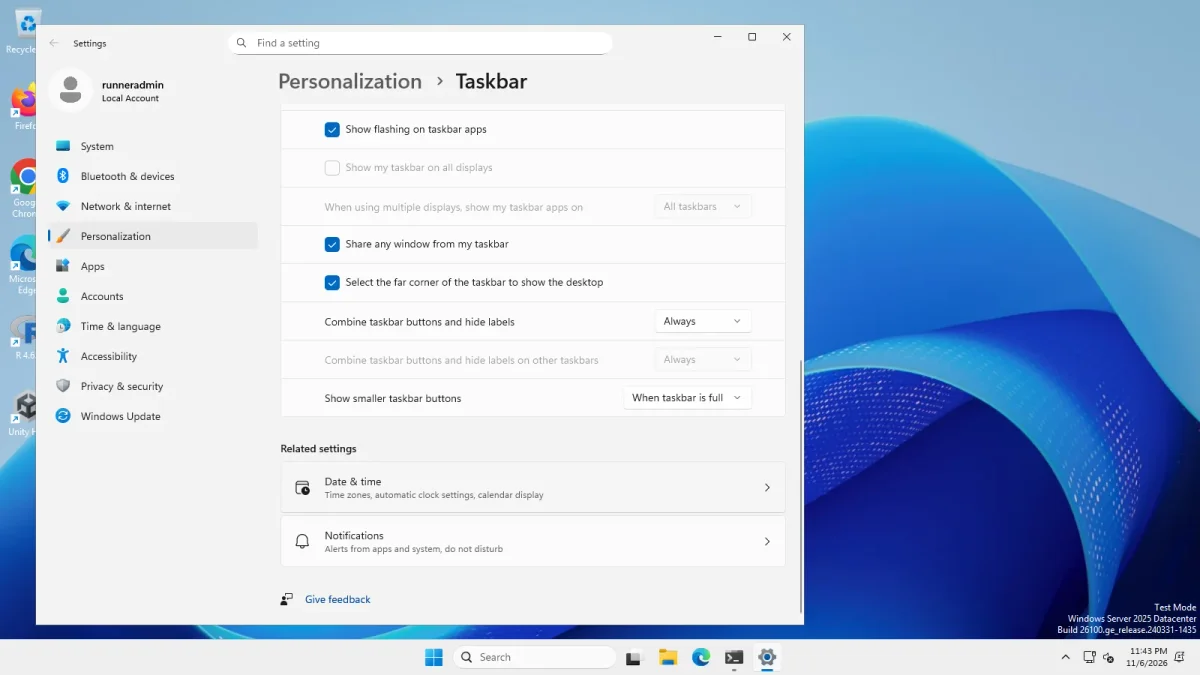
Use the native option if it is on your build and you do not want anything else. ExplorerPatcher makes sense when you also want the Windows 10 look, or the clock and other parts to follow the small size.
Small icons in ExplorerPatcher
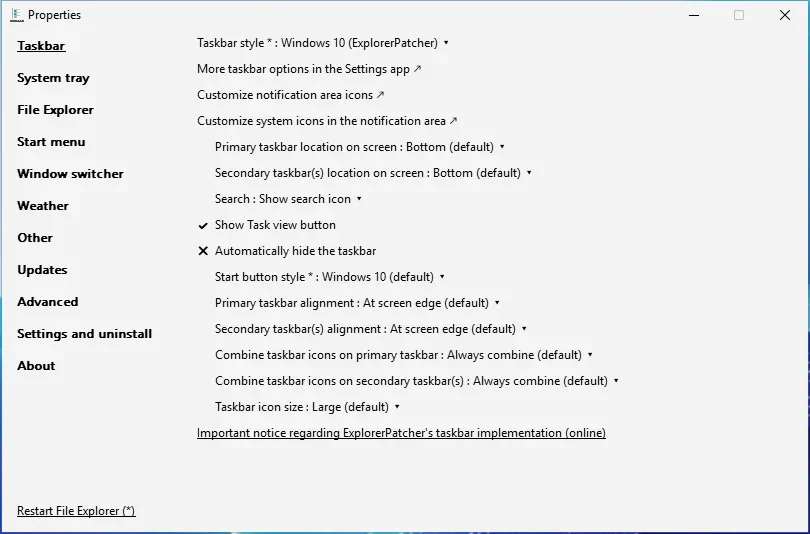
The setting is Taskbar icon size, with two choices as the app labels them: Large (default) and Small. See Taskbar icon size in our list. It is stored in Windows’ own Advanced key as TaskbarSmallIcons, and it only appears for the Windows 10 taskbar styles.
- Install ExplorerPatcher from GitHub only (download, install).
- Open Properties from the taskbar menu, or search Start for Properties (ExplorerPatcher).
- Check Taskbar style. It must be Windows 10 (ExplorerPatcher) or Windows 10. See the taskbar page.
- Set Taskbar icon size to Small. The change does not need a File Explorer restart in ExplorerPatcher’s data.
What we measured
For each case we restarted Explorer and read the height of the taskbar window. The screen was 1600 by 900 at 100 % scaling. Both machines gave the same numbers.
| Taskbar | Height | Width |
|---|---|---|
| Windows 11 taskbar (style “Windows 11” or “Windows 10”) | 48 px | 1600 px |
| Windows 10 (ExplorerPatcher), Large (default) | 40 px | 1600 px |
| Windows 10 (ExplorerPatcher), Small | 30 px | 1600 px |
| Windows 10 (ExplorerPatcher), Large, on the left or right | 900 px | 62 px (see moving the taskbar) |
So Small saves 10 px against ExplorerPatcher’s default and 18 px against the Windows 11 taskbar.



What changes besides the height, in our photo: the icons shrink, the clock shows only the time on one line, and the search box in our photo stays wide. We did not test small icons together with a vertical taskbar or with Never combine.
How we tested: we set TaskbarSmallIcons to 1 in the registry, restarted Explorer and photographed. We did not use the Properties window.
Known issues reported upstream
We have not reproduced these. Issue 5166 (closed) is titled “Icons in additional Toolbar in Taskbar still big, even when normal Taskbar icons are set small”, so toolbars you add to the taskbar may keep their icon size.
For labels, see never combine and labels. For every taskbar option see taskbar settings.
Other ways
Windhawk has mods that restyle the Windows 11 taskbar; it is free (GPL-3.0). StartAllBack, which is paid, lists a taskbar among the things it restores. We have not tested either for taskbar size. See ExplorerPatcher vs Windhawk and vs StartAllBack.
Common questions
How many pixels is the small taskbar?
On our 1600 by 900 test screens at 100 % scaling, ExplorerPatcher's small taskbar was 30 px high, its default was 40 px and the Windows 11 taskbar was 48 px. The numbers were identical on Windows Server 2025 and on Windows 11 25H2 Arm64.
Does Windows 11 have a smaller taskbar option of its own?
On our Windows Server 2025 image, Settings, Personalization, Taskbar, Taskbar behaviors listed Show smaller taskbar buttons with the value When taskbar is full. We did not change or measure it, and the section was collapsed in our Windows 11 25H2 photos.
Does the small size change the clock?
Yes. In our photo the clock shows only the time on the small taskbar. The upstream wiki says the same: large shows time and date on two lines, small shows one line.
Will the sizes match on my PC?
Not necessarily. We measured at 100 % display scaling on a virtual 1600 by 900 screen. Other scaling levels, high-DPI screens and multiple monitors will change the pixel numbers, and we have not tested them.