ExplorerPatcher on Windows 11 24H2
ExplorerPatcher 71.1 works on Windows 11 24H2 (build 26100). Microsoft removed the stock Windows 10 taskbar in 24H2, so ExplorerPatcher draws its own: choose the style 'Windows 10 (ExplorerPatcher)'. We tested on Windows Server 2025, which has the same 24H2 shell, not on a Windows 11 client PC.
Checked against ExplorerPatcher 71.1 (26100.9711.71.1) on Windows Server 2025 (24H2 shell) 26100.33674 · Nov 6, 2026On this page
What to do on 24H2
- Install version 71.1 from GitHub. Do this on a personal PC, not a work PC, and switch off Smart App Control first.
- In our test the taskbar changed to the Windows 10 look right after the install. Upstream’s FAQ says some installs keep the Windows 11 taskbar, so if yours still looks like Windows 11, open Properties, Taskbar, Taskbar style and choose Windows 10 (ExplorerPatcher). The full explanation is on Why your taskbar still looks like Windows 11.
- Learn the recovery step before the next Windows update: black screen after ExplorerPatcher.
What Microsoft removed in 24H2
Upstream’s wiki says that in 24H2 Microsoft removed the Windows 10 taskbar, and that ExplorerPatcher now ships its own taskbar implementation. It works from Windows 11 build 25921 on. Two other things went with it:
- The “Windows NT” Alt+Tab style. Upstream’s FAQ says no switcher appears. In our run, pressing Alt+Tab with that style set showed no switcher at all.
- The File Explorer toggle behind “Windows 11 Command Bar (classic Address Bar)”. Upstream says Microsoft removed it. In our run the option looked the same as the default.
The slider shows the taskbar as installed (Windows 11) and with ExplorerPatcher’s own taskbar.
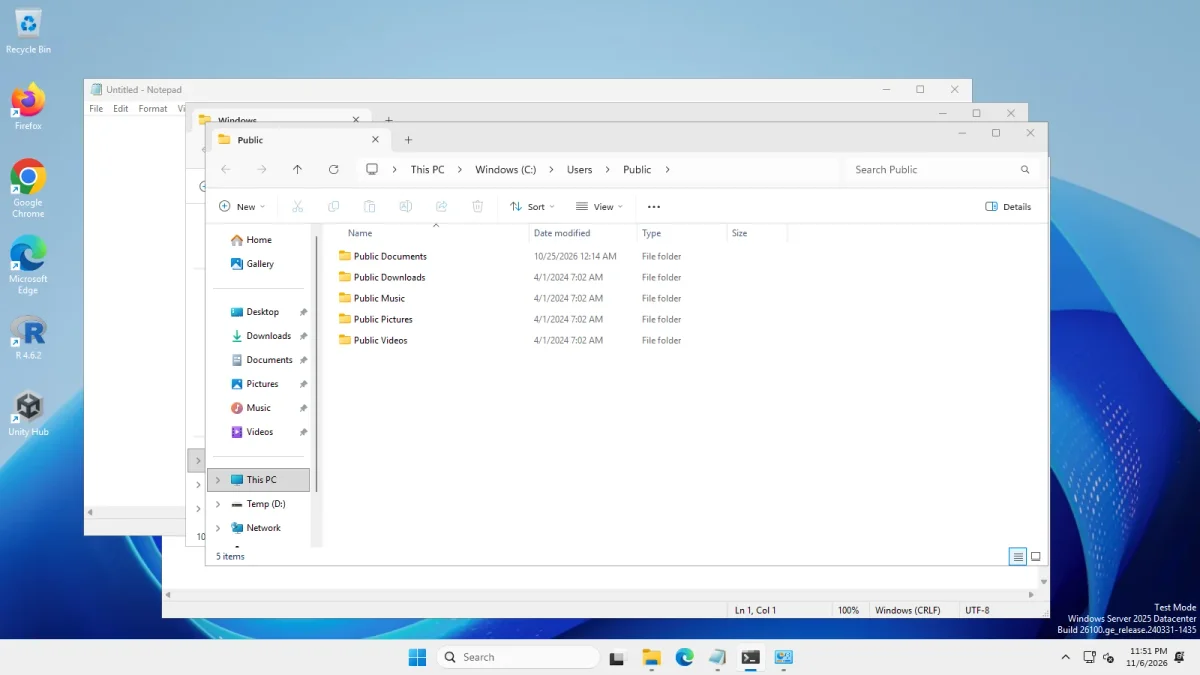 With ExplorerPatcherWindows 11 as shipped
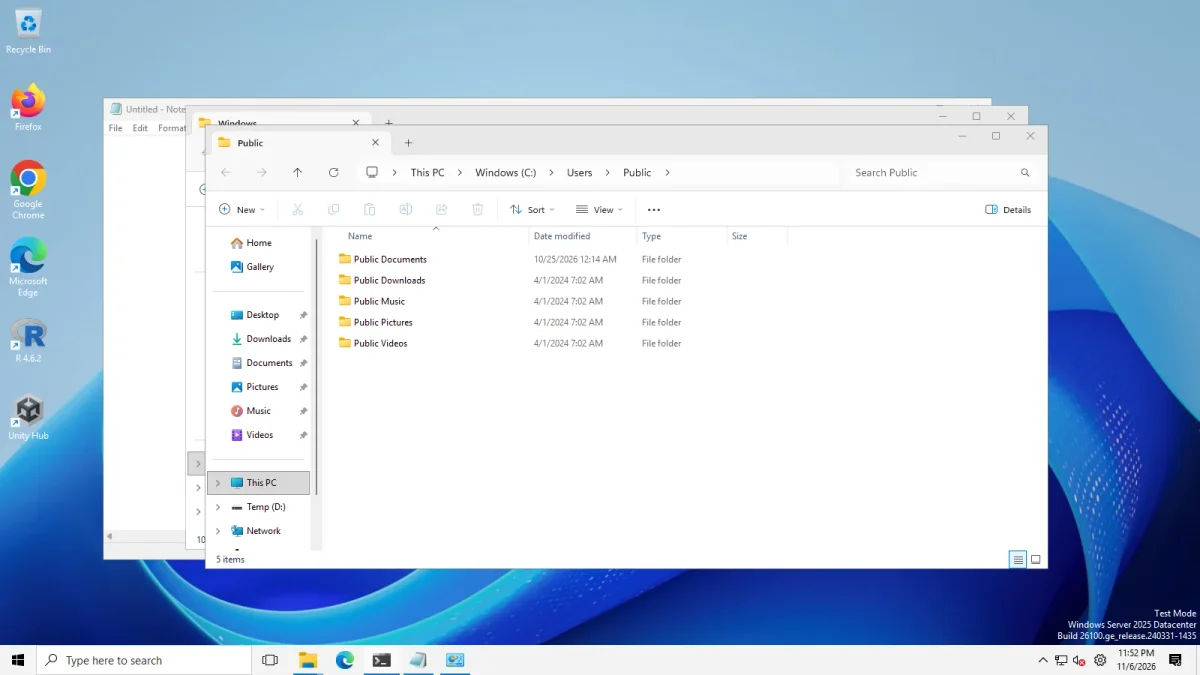
Taskbar style "Windows 11", four apps open → Taskbar style "Windows 10 (ExplorerPatcher)", four apps open · Windows Server 2025 (24H2 shell), x64 26100.33674 · EP 71.1
The style named “Windows 10” is a trap on this build: it leaves the Windows 11 taskbar in place.
Feature table
Everything in the last column is what we saw on Windows Server 2025 (24H2 shell, x64) on 6 Nov 2026.
| Feature | Status | What we saw |
|---|---|---|
| Taskbar style “Windows 10 (ExplorerPatcher)” | Works | 40 px high taskbar with the Windows 10 look |
| Taskbar style “Windows 10” | Removed | The Windows 11 taskbar stayed (48 px) |
| Taskbar options: labels, small icons, centred icons, search box, seconds, top, left, right | Works | Small icons gave a 30 px taskbar; left and right gave a 62 px wide one |
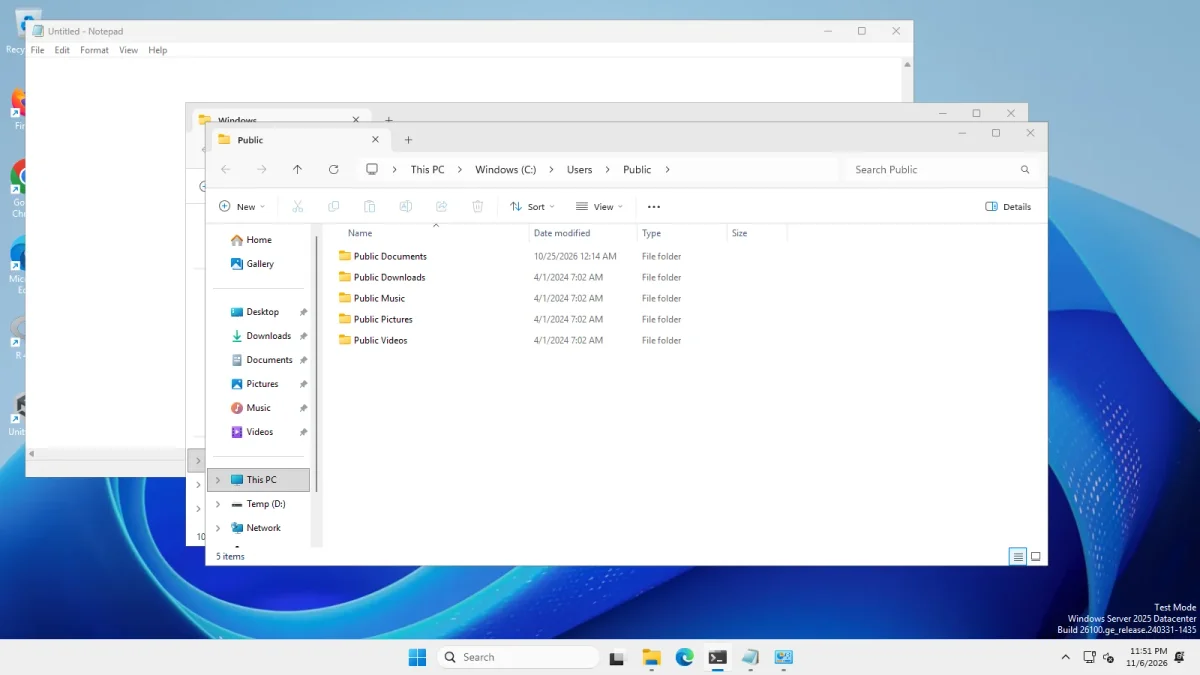
| Windows 10 Start menu | Works | Opened with the Windows 11 taskbar and with ExplorerPatcher’s taskbar |
| Windows 11 Start: Open Start in All apps by default | Works | Start opened on the All apps list |
| Windows 11 Start: Disable the Recommended section | Works | With the option on, Start opened without the Recommended block (our first run wrote the wrong registry key) |
| Alt+Tab: Windows 10 and Simple Window Switcher | Works | Windows 10 gave a dark bar, Simple Window Switcher a grid of large thumbnails |
| Alt+Tab: Windows NT | Removed | No switcher appeared |
| File Explorer: Windows 10 Ribbon, Windows 7 Command Bar | Works | Both changed File Explorer |
| File Explorer: classic Address Bar | Removed | Looked like the default |
| File Explorer: modern search bar, hidden search box, classic drive groups | Untested | No visible change with the command bar in our run. With the Ribbon, the modern search switch changed nothing, and the hidden search box disappeared in one run and stayed in the next |
| Classic right-click menu | Works | Appeared directly on files and on the desktop |
| Clock and network flyouts (Windows 10 style) | Works | Both opened from ExplorerPatcher’s taskbar |
| Volume flyout | Untested | The test machines have no audio device |
| Rounded corners off | Untested | Not demonstrable: our window corners were already square |
| Weather on the taskbar | Works | Showed “23 °C Mostly sunny” (see weather) |
| Properties window | Works | 11 sections with ExplorerPatcher’s taskbar, 10 with the Windows 11 taskbar (no Weather) |
| Ctrl+Alt+Shift recovery | Works | Windows 11 taskbar returned; EP showed its crash dialog, which is expected |
The 24H2 upgrade block
When 24H2 arrived, Windows setup refused to upgrade some PCs and said an app had security or performance issues. According to upstream’s issue 3053 (closed 12 Sep 2024), the cause was ExplorerPatcher’s old ep_dwm.exe file, and version 68 renamed it to ep_dwm_svc.exe. The 71.1 install on our machines contains ep_dwm_svc.exe. If you still have a very old ExplorerPatcher, update it or uninstall it before you upgrade Windows. Upstream’s issue 3398, “Support for Windows 11 24H2+”, closed on 31 Jul 2024 after 116 comments.
Known issues by build
These are reports and notes from upstream. We have not reproduced them.
| When | Windows build or update | What was reported | State on 6 Nov 2026 |
|---|---|---|---|
| 8 Jun 2025 | 26100.4202 | Explorer crash loop after installing ExplorerPatcher (issue 4366, 91 comments) | Open |
| 10 Jun 2026 | 10 June 2026 update | Start menu pinned items replaced (issue 5039) | Closed 6 Jul 2026 |
| 29 Oct 2026 | 26100.9343 and later | Windows 10 taskbar jump lists, Alt+Tab (26100.9606+) and File Explorer address bar fixes in 71.1; the notes list the address bar background drawing as a known issue on 26100.9343+ x64 | Release notes |
Upstream tested 71.1 on build 26100.33650 (x64) and 26100.8037 (Arm64). Our server build, 26100.33674, is newer than the first of those. The status page keeps the full list, and the Build Checker takes your exact build number.
Common questions
Does ExplorerPatcher still work on Windows 11 24H2?
Yes, according to upstream and our test. Version 71.1 installed in about 5 seconds on Windows Server 2025 (24H2 shell, build 26100.33674) and the main options worked. Two things Microsoft removed did not, and a few switches showed no visible change. We did not test a Windows 11 24H2 client PC.
Why does my taskbar stay the Windows 11 taskbar on 24H2?
The taskbar style called 'Windows 10' does nothing on 24H2 because Microsoft removed that taskbar. Choose 'Windows 10 (ExplorerPatcher)' in Properties, Taskbar. We measured 48 pixels for the first and 40 pixels for the second.
Why did the 24H2 upgrade say an app has security or performance issues?
According to upstream's issue 3053, Windows setup blocked the upgrade because of an old ExplorerPatcher file called ep_dwm.exe. Version 68 renamed it to ep_dwm_svc.exe. Update ExplorerPatcher before upgrading, or uninstall it first.
Which update broke ExplorerPatcher on 24H2?
Upstream's open thread 4366 reports an Explorer crash loop on build 26100.4202 (June 2025), and issue 5039 followed the 10 June 2026 update. We have not reproduced either. Check the status page for your build.