File Explorer keeps crashing after a Windows update
The dialog 'Unfortunately, File Explorer is crashing' comes from ExplorerPatcher, not from Windows. It appears when Explorer starts after exiting within 10 seconds three times in a row, or when you start Explorer with Ctrl+Alt+Shift held. ExplorerPatcher then switches itself off until the next Explorer restart. Click Dismiss, update ExplorerPatcher, and check the status page.
Checked against ExplorerPatcher 71.1 (26100.9711.71.1) on Windows Server 2025 (24H2 shell) 26100.33674 and Windows 11 Enterprise 25H2 26200.9725 and Windows Server 2022 (Windows 10 21H2 shell) 20348.5773 · Nov 6, 2026On this page
What to do
- Click Dismiss. ExplorerPatcher is off until the next File Explorer restart. Windows works normally in the meantime.
- Update ExplorerPatcher. In the dialog, the first link, “update ExplorerPatcher and restart File Explorer”, runs the update. Or download the newest setup from GitHub and run it over the old install. In our test an update kept all settings.
- Restart File Explorer normally. That switches ExplorerPatcher back on. If the dialog returns, the cause is still there.
- Check the status page. If a Windows update broke ExplorerPatcher and no release fixes it yet, switch the taskbar style back to Windows 11 (Properties, Taskbar) or uninstall and wait.
- If you used Ctrl+Alt+Shift on purpose, nothing is wrong: the dialog is part of the black screen recovery.
If the update that arrived just before the crashes is the cause, you can also uninstall that Windows update in Settings, Windows Update, Update history. We have not tested this, and it removes the update’s other fixes too, so try the steps above first.
The dialog, line by line
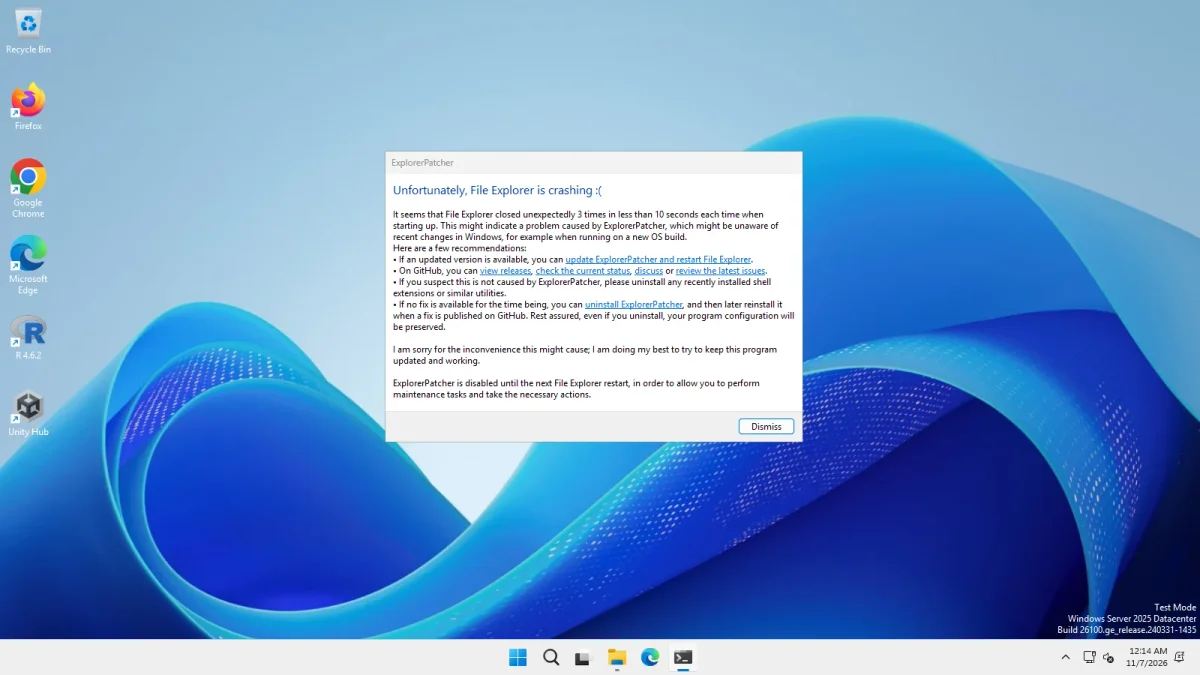
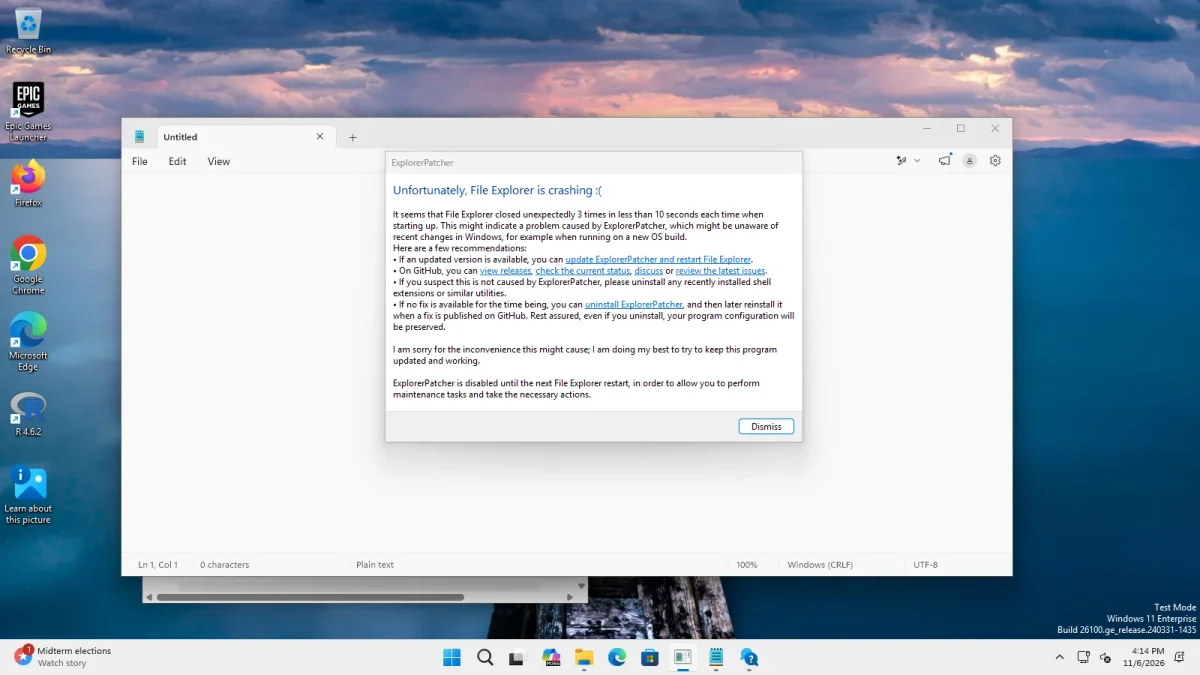
| Text in the dialog | What it means |
|---|---|
| “Unfortunately, File Explorer is crashing :(” | The title. ExplorerPatcher shows it, not Windows. |
| “It seems that File Explorer closed unexpectedly 3 times in less than 10 seconds each time when starting up.” | The counter reached its threshold. Both numbers can change if the hidden values below are set. |
| “update ExplorerPatcher and restart File Explorer” | Starts the update. |
| “view releases”, “check the current status”, “discuss”, “review the latest issues” | Links to the project’s GitHub pages. |
| “uninstall ExplorerPatcher” | Runs the uninstaller. The dialog says your program configuration will be preserved. |
| “ExplorerPatcher is disabled until the next File Explorer restart” | EP is off for this session so you can do maintenance. |
Paste any message into the Message Decoder to see all the texts we know.
How the crash counter works
We read this from ExplorerPatcher’s source code (CrashCounterHandleEntryPoint in dllmain.c). We have not triggered a real crash loop ourselves.
- Each time the desktop Explorer starts, ExplorerPatcher adds 1 to a counter stored in
HKCU\Software\ExplorerPatcher(CrashCounter). - A background thread resets the counter to 0 after 10 seconds. So the counter only keeps growing when Explorer exits within 10 seconds of each start.
- When Explorer starts and the counter has already reached 3, or when Ctrl, Shift and Alt are all held, ExplorerPatcher resets the counter, shows the dialog and does not load itself.
- That makes the defaults “3 quick exits”: the fourth start comes up without ExplorerPatcher.
- Hidden values change the behaviour:
CrashCounterThreshold(2 to 9, default 3),CrashThresholdTime(100 to 60,000 milliseconds, default 10,000),CrashCounterShowMessage(0 hides the dialog) andCrashCounterDisabled(1 turns the protection off, including the Ctrl+Alt+Shift method). They are not shown in Properties. Do not setCrashCounterDisabled: it removes your safety net.
The 71.1 release notes say ExplorerPatcher now injects only into the Explorer process that hosts the desktop and taskbar, which “helps reduce false repeated crash detection activations”. Upstream issue 5191 (closed 31 Oct 2026) reported a case on build 26220.9492 where the crash protection did not engage and a hard reboot was needed.
In our recovery tests the counter value was 0 afterwards on every machine, which fits the source.
Crash reports by Windows build and KB
These come from upstream’s issue tracker and release notes. We have not reproduced any of them, and we list a KB number only where an upstream report names it.
| Reported | Windows build or update | EP version | What happened | State on 6 Nov 2026 |
|---|---|---|---|---|
| 8 Jun 2025 | 26100.4202 (24H2) | not stated | Crash loop after installing (issue 4366, 91 comments) | Open |
| 4 Dec 2025 | 26200.7171 (25H2) | 69.6 | Explorer crashed three times, then EP disabled itself (issue 4765) | Open |
| 14 Jan 2026 | 26200.7462, KB5074109 | 69.6 | Parts such as the Quick Launch toolbar stopped (issue 4831) | Open |
| 16 May 2026 | 26220.8474 (Beta) | 69.6 | Explorer crash loop (issue 4957, 184 comments) | Fixed by 70.1 on 19 May 2026 |
| 27 May 2026 | 26200.8524, KB5089573 | 69.6 | Explorer crashes (issue 4987) | Closed 30 May 2026 |
| 14 Jun 2026 | not stated | not stated | A Chinese-language report of the dialog appearing at startup (issue 5050) | Open |
| 28 Jul 2026 | 29634 and later | not stated | Crash loop of the Windows 10 (EP) taskbar (issue 5128) | Closed 31 Oct 2026; 71.1 notes list the fix |
| 29 Sep 2026 | 26220.9492 | not stated | Crash on opening Snipping Tool (issue 5191) | Closed 31 Oct 2026; 71.1 notes list a full-screen crash fix for it |
An older case: upstream’s issue 1802 (August 2023) was about instability after KB5029263 and had “Fix available” in its title.
The pattern is the same each time: Microsoft changes code, ExplorerPatcher no longer matches it, and a new release follows. In May 2026 that took four days; some threads above have been open for months.
Symbols and crashes
ExplorerPatcher finds some functions in Windows by downloading Microsoft’s symbol files for your build. In our tests it fetched 3 files (65 MB) on the Arm64 machine and 4 files (92 MB) on Server 2025 within 30 seconds of installing. If your build is brand new or the download fails, some features do not work; upstream’s symbols page says ExplorerPatcher still runs but the features that need symbols are unavailable. The messages “Downloading symbols for OS build” and “Failed to download symbols for OS build” are explained on taskbar not changing.
When it is not ExplorerPatcher
The dialog itself says: “If you suspect this is not caused by ExplorerPatcher, please uninstall any recently installed shell extensions or similar utilities.” Other tweak tools that hook into Explorer can cause the same crashes. Upstream’s FAQ asks you to name the tweak software you run when you report a problem: see troubleshooting.
Common questions
Is the 'File Explorer is crashing' dialog a Windows error?
No. It is ExplorerPatcher's own crash protection, shown by the ExplorerPatcher code that runs inside Explorer. Its title text is in ExplorerPatcher's source code. Click Dismiss and Explorer continues without ExplorerPatcher.
Why do I see the dialog when Explorer did not crash?
Starting Explorer with Ctrl+Alt+Shift held runs the same code as a real crash loop, so the dialog appears. We saw it on all three of our test machines. It is the expected result of the official recovery method.
How many crashes trigger it?
By default three starts in a row where Explorer exits within 10 seconds each time. The numbers come from ExplorerPatcher's source: a threshold of 3 and a window of 10,000 milliseconds. Two hidden registry values can change them, which we have not tested.
Does uninstalling the Windows update help?
It can, when the update is the cause, but we have not tested it and it removes Microsoft's fixes too. Try updating ExplorerPatcher and switching the taskbar style first, and read the status page for your build.